Oak County Stables Controls: What Each Riding Key Does
The six PC riding keys in Oak County Stables — W, S, Z, X, Q and E — with the developer's official meaning for each and how they behave in the saddle.
Quick answer
Six keyboard keys control riding in Oak County Stables on PC: W, S, Z, X, Q and E. W squeezes with both legs to walk the horse on, Z is a cluck that moves you up a gait, X is woah and brings you back down, Q and E apply your left and right leg, and S is like pulling the reins.
- W — applying both legs / squeezing: hold it to walk forward from a standstill
- Z — a cluck: moves up to the next gait
- X — woah: brings the horse down a gait
- Q — applying your left leg
- E — applying your right leg
- S — like pulling the reins: slows the horse down
The developer lists these six riding inputs in the CONTROLS section of the official Oak County Stables Roblox page, and alpha playtests show them in action. Here is what each key feels like in actual use.
What each key does in the saddle
W is your go button, and it is a hold, not a tap: you keep W pressed to walk the horse forward out of a standstill.
Z is the cluck. Press it to move up to the next gait — playtesters use it to pick up the trot. Horses do not always answer the first cluck: one alpha tutorial rider had to hit Z twice before her horse broke into a trot, because sometimes the horse just does not listen. If the first press does nothing, ask again.
X is woah, the mirror of Z. Each press brings the horse down a gait, and on a trail ride one player tells their companion to hit X to make a horse stop trotting.
S is like pulling the reins. It slows the horse down, and it works even on a horse that is otherwise choosing to speed up on her own.
Q and E are your left and right leg aids. On their own they are the building blocks for more specific requests — see the combos below.
Gait gauge, stamina and the in-game controls list
While you are mounted, the bottom of the screen shows a gait gauge with your current gait and a stamina bar underneath. In the bottom-left corner there are two buttons: Controls, which opens the in-game key list, and Toggle Reins.
One warning from an alpha tutorial: the in-game controls list is mostly correct, but its dressage entries are not. The official list on the game's Roblox page is the safer reference.
The tester-made alpha tutorial walks through the same in-game book — the segment below opens on its controls page, where you can read the PC binding for every riding action, from Increase and Decrease Gait to the canter leads and the mounted extras like Collection Pulse and Gallop Takeoff.
Key combos seen in playtests
- Z + E for a canter lead. In one early playtest, the rider holds Z and E together to pick up a canter. That lines up with the official meanings — a cluck plus the right leg — but it is a single observed example, not a combo the developer lists.
- Q and E in pole bending. The alpha tutorial's narrator describes holding A with E for one direction and D with Q for the other, with Q and E doing the bending itself. Her A-and-D pairing is her own explanation of the discipline rather than an official entry — officially, Q and E are simply your left and right leg.
These controls can change
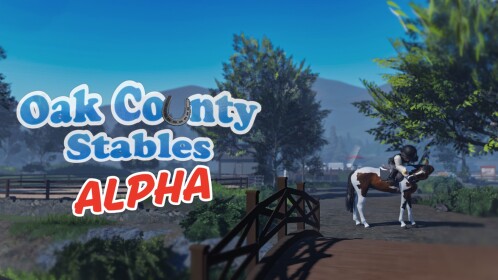
Oak County Stables is a very unfinished alpha, by the developer's own description, and the key list can change as the game develops. If a key stops matching this page, check the game's Roblox page or the latest updates.
New to the game? The how to join guide covers finding the real listing and getting in, and once you can ride, the horse riding guide goes beyond the keys into actual technique.
Related Guides
How to Ride, Change Gaits and Jump
Mount with the stirrup prompt, walk, trot and canter, jump safely, and recover from bucks, refusals and ignored aids.
How to Join the Real Roblox Alpha
Verify the real Roblox listing, its creator, and the tutorial request and playtest windows that decide when you can join.
Update
Track recorded Oak County Stables changes, with the newest confirmed dates first.